RStudio
R is a language used for statistical computing and data analysis. For ease of use, R can be used via RStudio, an integrated development environment (IDE) that supports both R and Python languages. For more information, refer to the documentation pages for R and RStudio.
Accessing RStudio
To access OOD off campus, you must connect to a VPN. For more information on working remotely, click here.
To access the RStudio interactive app, navigate to the OOD portal here and select RStudio from the drop down menu of interactive apps from the dashboard at the top of the page. Similar to Hyak's job scheduler Slurm, this form allows you to select the account and partition for your job. To use community idle resources, select the ckpt partition.
You are also able to select an RStudio server container that is provided from the rocker project. Alternatively, you may use a custom container by selecting "Custom" and specifying the absolute path to the container (e.g., /mmfs1/sw/ondemand/containers/rstudio/sifs/tidyverse-27jan2025.sif).
Once you specify the RStudio server container, you have the option to change the User R Library Path (R_LIBS_USER). When you use the install.packages() command, the package library along with all of its dependencies will be installed in the directory specified with the User R Library Path field. By default, this is the path to your home directory which has a 10G storage limit. If you plan on using install.packages(), it is recommended to change the User R Library Path to somewhere with a larger storage quota.
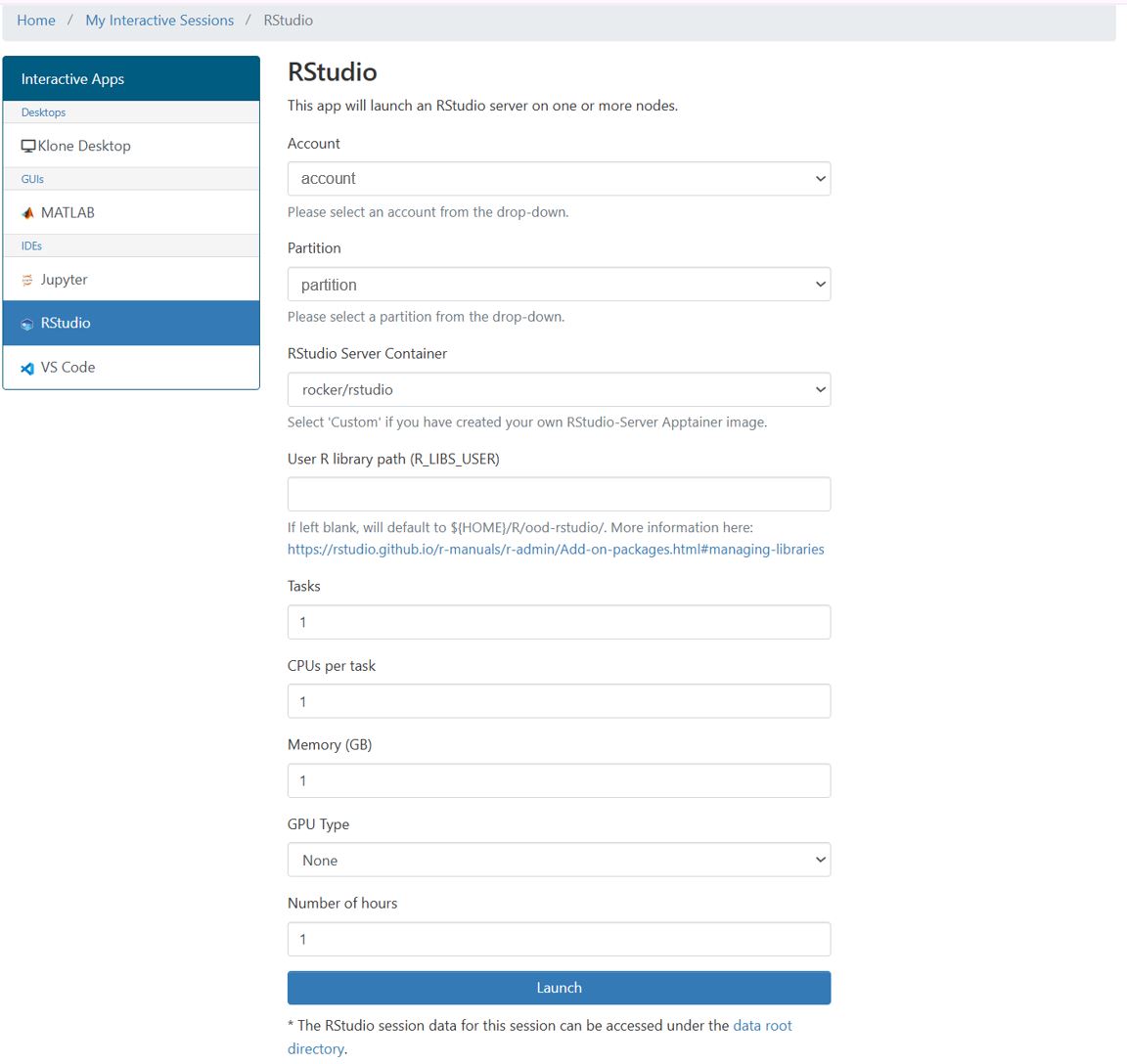
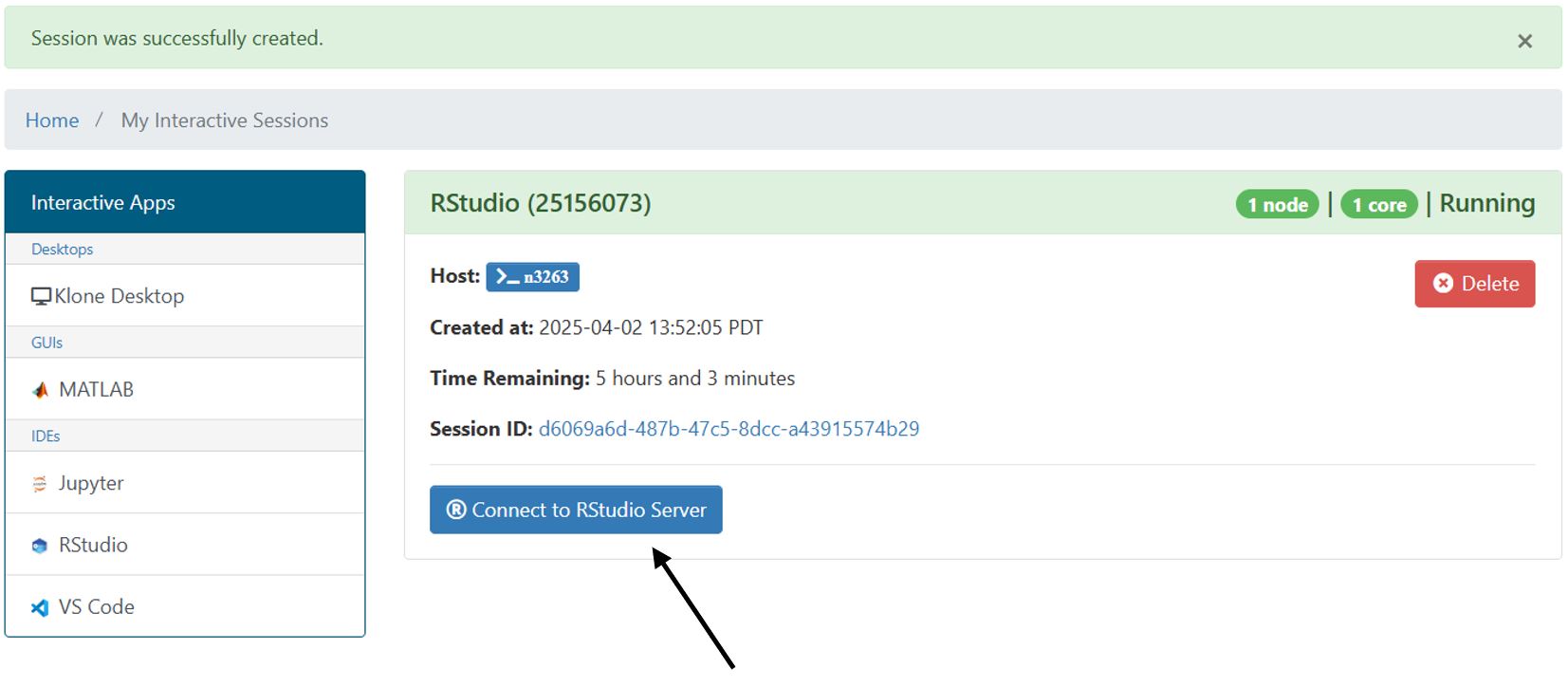
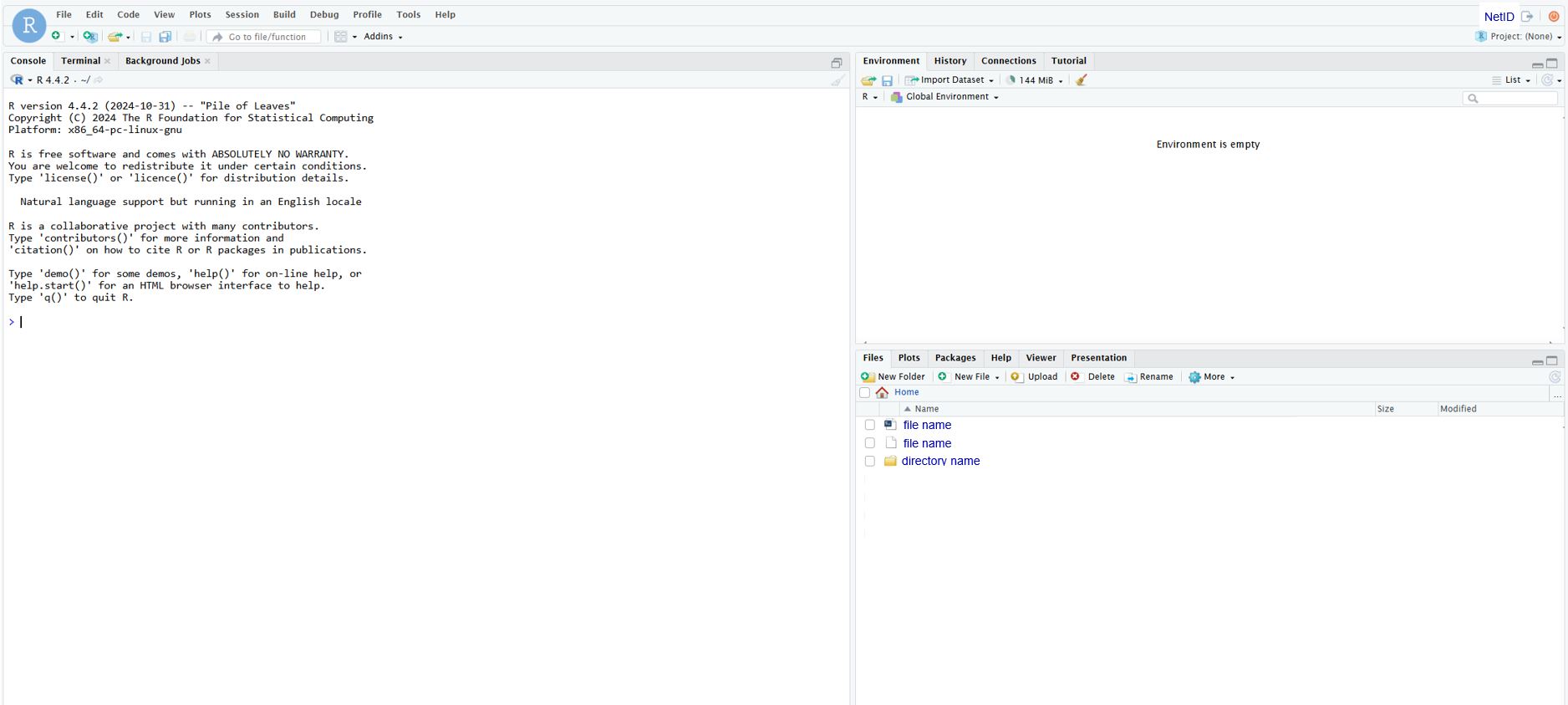
Once you click Launch, you should see your job under the "My Interactive Sessions" tab. It may take some time for your job to move through the queue depending on the amount of resources requested. Once your job has the requested resources, you will be able to connect to the RStudio server:
Custom R Containers
The install.packages() command can be used to install most packages during your RStudio interactive session as long as the container has all the dependencies required by the package. Some packages may require changes to the operating system. To install these packages, you will need to build a custom container.
To start, create a definition file to build your container:
Bootstrap: docker
From: rocker/tidyverse

%post
    # Update Ubuntu packages
    apt-get update -y

    # Installing Ubuntu system libraries
    apt-get install -y libglpk40
    apt-get install -y \
        libxml2 \
        libxt6 \
        zlib1g-dev \
        libbz2-dev \
        liblzma-dev \
        libpcre3-dev \
        libicu-dev \
        libjpeg-dev \
        libpng-dev \
        libxml2-dev \
        libglpk-dev \
        libz-dev

    # Installing CRAN packages via Rscript into the container
    Rscript -e 'install.packages("RColorBrewer")'

    # Installing Bioconductor packages
    Rscript -e 'if (!require("BiocManager", quietly = TRUE)) install.packages("BiocManager")'
    Rscript -e 'BiocManager::install(version = "3.20")'
    Rscript -e 'BiocManager::install("regioneR")'
    Rscript -e 'BiocManager::install("regioneReloaded")'

    # Recommended for use with OOD
    mkdir /scr /mmfs1
    ln --symbolic /mmfs1/sw /sw
    ln --symbolic /mmfs1/data /data
    ln --symbolic /mmfs1/gscratch /gscratch
The above example serves as a template and should be edited to fit your R environment needs.
Once your definition file is created, you can build the container:
apptainer build customR.sif customR.def
In this example, the latest version of rocker/tidyverse is being pulled. If you would like to use a specific version of R, you can change From: rocker/tidyverse at the start of your .def file to something like From: rocker/tidyverse:4.3.2.
Because the tidyverse package includes a large collection of R packages that would be time consuming to install from scratch, using a prebuilt rocker/tidyverse image is generally a good choice for a base container.
Some prebuilt containers are tailored for specific types of workflows:
-
Rstudio server container from Tufts University HPC — has various CRAN and Bioconductor packages installed.
-
Single Cell RNA-seq container from Tufts University HPC — has a large range of bioinformatics packages useful for scRNAseq analysis.
-
Rocker project containers — useful for running R and RStudio Server environments. For more information, refer to the Rocker Project website.