OOD can be used to manage and schedule jobs on the klone cluster. Specifically, OOD offers Interactive Sessions that streamline launching GUI based jobs like desktops, notebooks, and other software.
Launch an Interactive Session
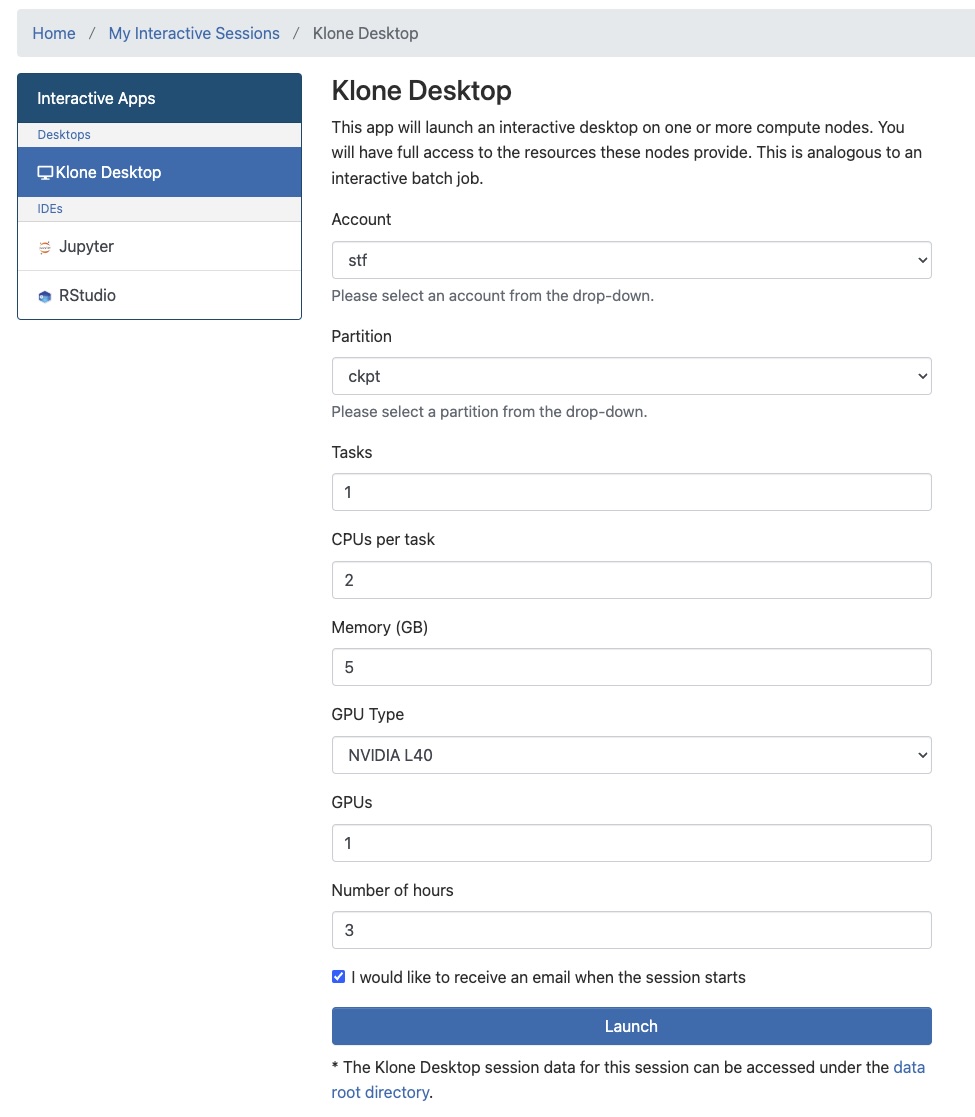
Offered applications are available from the Interactive Apps tab. Clicking on an application will open a form where you can specify the resources you need for your job. If you're unfamiliar with the concepts of Accounts and Partitions, check out a brief overview.
Job Submission Form
While some may offer additional configuration, all forms allow you to specify the following parameters:
- Account - The account that has access to the resources you need. This may be your lab or research group's name.
- Partition - The partition that has the resources you need.
- Tasks - Instances of your application - maximum number of parallel tasks launched by the job. Most jobs will only need one task.
- CPUs per task - Number of CPUs per task.
- Memory (GB) - Total memory required per node in GB.
- GPU Type (optional) Type of GPU card required.
- Number of hours - Maximum number of hours the jobs will run.
Allocating more resources, especially GPUs, can lead to longer wait times. Use hyakalloc to identify free resources before submitting a job.
A form submission for the Remote Desktop may look like this:
Once a job has started, you can access the host node, connect to the application, and modify other settings from the My Interactive Sessions page.
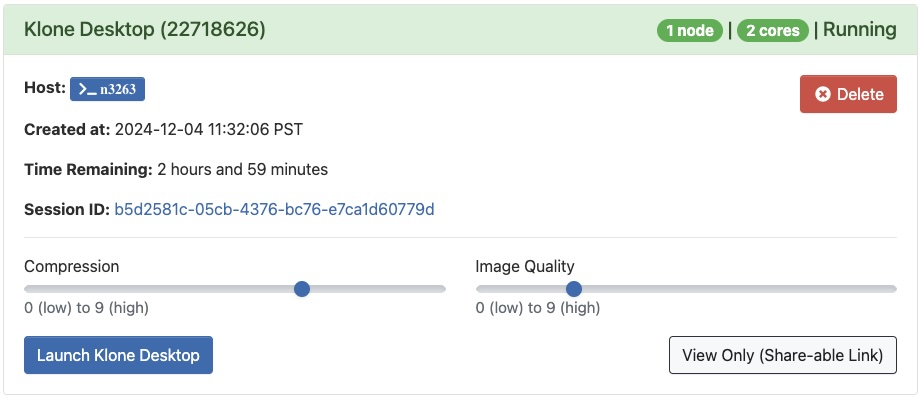
Closing the browser window does not terminate interactive sessions. Make sure to end your session by clicking Delete on the My Interactive Sessions tab after saving your work.
Logs and Troubleshooting
Once a job is queued, it is assigned a Session ID. You can monitor job output by clicking on the hyperlinked ID (e.g., 6adb157f-9d7e-4a60-b536-32e1e7ff101d), which navigates to the output directory. You can find generated files, logs, and information about the job here.
Some applications may require specific settings or configurations that go beyond the form. Application specific workflows are documented at Open OnDemand/[Application] in the sidebar.